
- Difficulty
- Intermediate
- Build time
- 75-120 min
- Estimated cost
- $0
- Age range
- 11-18
- Workspace
- A computer or tablet workspace
The finish line
What you will build
The app accepts valid tooth counts, animates opposite gear directions at the calculated speed ratio, and reports worked results for three test cases.
Learning goals
- Identify how driver tooth count and input speed produces calculated driven speed, torque multiplier, and animation.
- Construct and explain a numeric input-to-modeled rotary motion system.
- Measure how tooth-count pair changes performance.
- Diagnose losses caused by ideal-model assumptions and display frame timing.
Before you build
Materials, tools, and safety
Reuse-material cost: $0-$3 with reused materials. Supervision: Adult help recommended for sharp or heated tools.
Tools
- Computer or tablet
- Web browser or offline editor
- Notebook for test results
Low-cost swaps
- Use the platform's offline editor when internet access is limited.
- Storyboard the logic with cards and arrows before opening the coding tool.
- Use an offline browser and the single-file source with no libraries or network requests.
Project-specific safety
- Use a teacher, parent, or guardian account where the platform requires an adult.
- Do not publish student names, locations, or personal contact details inside a project.
- Save only in a local classroom folder and avoid publishing names or personal data with the project.
Orient the build
Treat the screen origin and stage edges as fixed references. The control that creates driver tooth count and input speed is the input side; the sprite, score, or display that produces calculated driven speed, torque multiplier, and animation is the output side.
Build it
Step-by-step instructions
Step 1
Define the model
Write formulas for speed, torque multiplier, and direction.
List assumptions such as no friction.
Step 2
Build labeled inputs
Add driver teeth, driven teeth, and input rpm fields with sensible limits.
Provide an update button.
Step 3
Validate values
Reject zero, negative, nonnumeric, or extreme counts with visible text.
Keep the previous valid state.
Builder checkpoint: After validate values, the first subassembly should stay aligned when handled gently.
Step 4
Calculate outputs
Compute ratio, driven rpm, and ideal torque multiplier.
Round only for display.
Watch for: If this stage binds or drifts, inspect invalid inputs before adding more parts.
Step 5
Draw two gears
Use CSS circles with tooth-count labels and center markers.
Do not claim exact tooth geometry.
Step 6
Animate direction
Set opposite CSS rotation directions and duration from rpm ratio.
Respect reduced-motion preference.
Builder checkpoint: After animate direction, operate the build slowly and confirm that calculated driven speed, torque multiplier, and animation begins without binding.
Step 7
Add model notes
Explain ideal assumptions and why a physical build differs.
Keep text near results.
Step 8
Run three tests
Verify 12:36, 36:12, and 24:24 by hand.
Check keyboard and error behavior.
Builder checkpoint: At the final checkpoint, The app accepts valid tooth counts, animates opposite gear directions at the calculated speed ratio, and reports worked results for three test cases.
See the engineering
Why it works
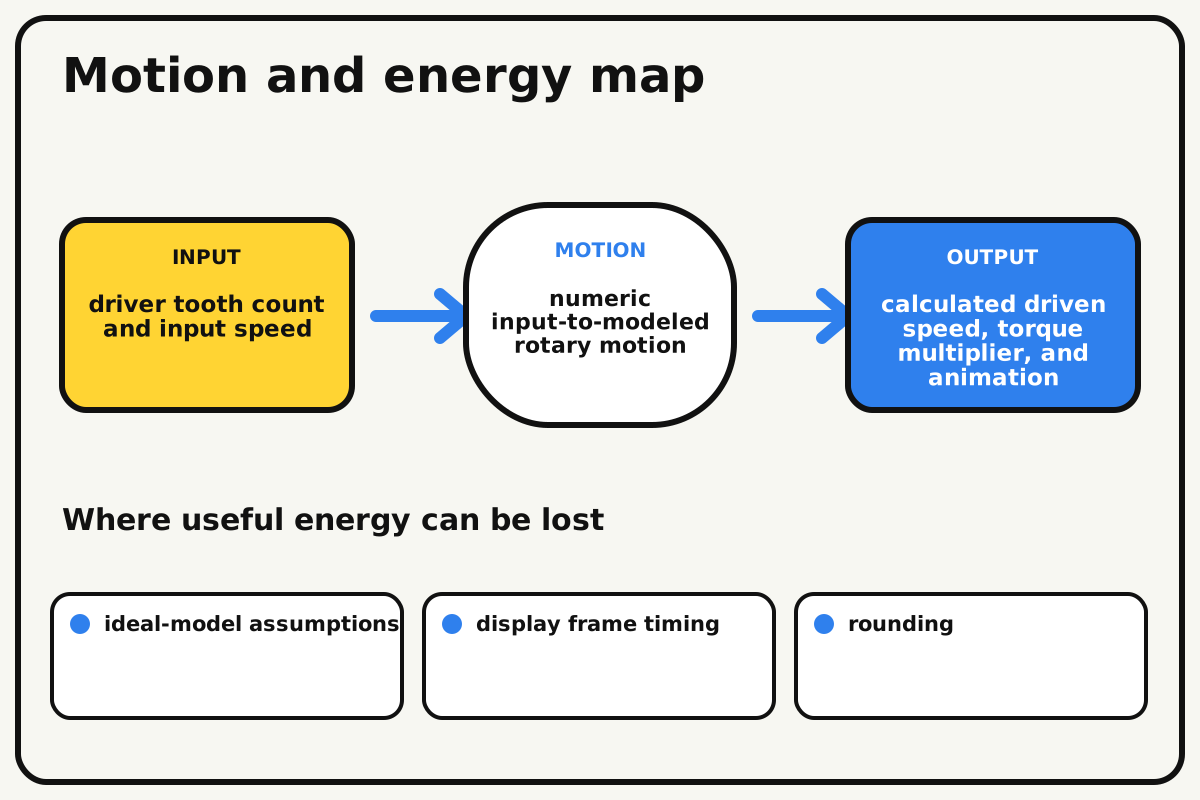
- Input
- driver tooth count and input speed
- Output
- calculated driven speed, torque multiplier, and animation
- Motion
- numeric input-to-modeled rotary motion
- Energy losses
- ideal-model assumptions, display frame timing, rounding, invalid inputs
Why this works
Ideal gear-pair model
For external gears, output speed equals input speed times driver teeth divided by driven teeth, and direction reverses. Ideal torque changes by the inverse speed ratio.
Look for: Compare 12:36 and 36:12 cases and explain why one increases ideal torque while the other increases speed.
Where the energy goes
Efficiency and losses
The ideal model leaves out ideal-model assumptions, display frame timing, rounding, invalid inputs. These effects turn some input energy into heat, sound, vibration, or unwanted motion, so measured performance will be lower than an ideal calculation.
Look for: Run the build slowly and locate the first place where ideal-model assumptions becomes visible or audible.
Math bite
Calculate driven speed
Formula: driven rpm = input rpm × driver teeth / driven teeth
- Input = 90 rpm
- Driver = 12 teeth
- Driven = 36 teeth
Substitute: driven = 90 × 12 / 36 = 30 rpm
Result: The driven gear turns at 30 rpm in the opposite direction.
Ideal torque is multiplied by three.
Friction and tooth losses are omitted.gear-ratio-simulator.html
A complete self-contained browser simulator with validation, accessible results, and reduced-motion support.
<!doctype html><html lang="en"><meta charset="utf-8"><meta name="viewport" content="width=device-width"><title>Gear Ratio Simulator</title>
<style>body{font:18px system-ui;max-width:720px;margin:2rem auto;padding:1rem}label{display:block;margin:.8rem 0}input,button{font:inherit;padding:.5rem}.gears{display:flex;gap:2rem;align-items:center;margin:2rem 0}.gear{display:grid;place-items:center;border:8px dotted #111;border-radius:50%;width:120px;height:120px;animation:spin var(--duration) linear infinite}.driven{animation-direction:reverse}@keyframes spin{to{transform:rotate(360deg)}}@media(prefers-reduced-motion:reduce){.gear{animation:none}}#error{color:#b00020}</style>
<h1>Gear Ratio Simulator</h1><label>Driver teeth <input id="driver" type="number" min="6" max="120" value="12"></label><label>Driven teeth <input id="driven" type="number" min="6" max="120" value="36"></label><label>Input rpm <input id="rpm" type="number" min="1" max="300" value="90"></label><button id="update">Update model</button><p id="error" role="alert"></p><div class="gears"><div class="gear" id="g1">Driver</div><div class="gear driven" id="g2">Driven</div></div><output id="result" aria-live="polite"></output><p>This is an ideal model. Physical gears lose energy to friction, backlash, flex, and tooth contact.</p>
<script>const $=id=>document.getElementById(id);function update(){const d=+$('driver').value,n=+$('driven').value,r=+$('rpm').value;if(![d,n,r].every(Number.isFinite)||d<6||n<6||d>120||n>120||r<=0){$('error').textContent='Enter tooth counts from 6 to 120 and a positive input speed.';return}$('error').textContent='';const out=r*d/n,torque=n/d;$('result').textContent='Ratio '+(n/d).toFixed(2)+':1. Driven speed '+out.toFixed(1)+' rpm, opposite direction. Ideal torque multiplier '+torque.toFixed(2)+'.';$('g1').textContent=d+' teeth';$('g2').textContent=n+' teeth';$('g1').style.setProperty('--duration',Math.max(.5,60/r)+'s');$('g2').style.setProperty('--duration',Math.max(.5,60/out)+'s')} $('update').addEventListener('click',update);update();</script></html>
Make it behave
Test, troubleshoot, and tune
Controlled test
Start here: Verify one equal-gear case before testing reduction and speed increase.
Success looks like: Three known cases match hand calculations and invalid input produces an accessible error.
Measure: Ratio, output rpm, torque multiplier, direction, validation, and reduced-motion behavior.
Change: tooth-count pair
Keep constant: same code, input rpm, browser, formulas, rounding, and test procedure
- 24:24
- 12:36
- 36:12
| Symptom | Likely cause | Confirm it | Fix |
|---|---|---|---|
| Animation direction matches | Both CSS directions use the same sign | Pause and inspect classes | Reverse only the driven gear |
| Results show infinity | Zero input was accepted | Enter 0 in each field | Add finite positive validation |
| Text and animation disagree | Separate formulas or stale state exist | Run 12:36 and compare | Use one computed result object |
| Fast ratios become unreadable | Duration is too short | Enter extreme valid counts | Clamp visual duration while preserving numeric result |
Choose your tradeoff
Keep the mathematical result accurate even when visual speed is clamped for readability. More animation detail can look realistic but must not imply unmodeled physical precision.
Keep experimenting
Try another version
Calculator only
Remove animation and verify formulas.
Compound train
Multiply two stages and animate three shafts.
Loss estimate
Add a clearly labeled per-mesh efficiency slider.
Build together
Classroom and access options
Classroom version
Teams can compare tooth-count pair while keeping same code, input rpm, browser, formulas, rounding, and test procedure. Assign builder, tester, recorder, and explainer roles; have each team predict the result before collecting three trials.
Access adaptations
- Use keyboard-accessible controls and high-contrast sprites or interface elements.
- Pair a navigator who reads instructions with a driver who enters blocks or code.
- Use labeled numeric inputs, keyboard controls, visible focus, high contrast, and a reduced-motion setting that preserves the calculated text.
Reflect on the design
- How did tooth-count pair change the measured result?
- Where did ideal-model assumptions affect the build most strongly?
- What evidence shows that ideal gear-pair model explains the motion?
- Which change would improve calculated driven speed, torque multiplier, and animation without creating a new problem?
Glossary
- Ideal gear-pair model
- For external gears, output speed equals input speed times driver teeth divided by driven teeth, and direction reverses.
- Input
- The action or energy supplied to a system; here it is driver tooth count and input speed.
- Output
- The useful response produced by a system; here it is calculated driven speed, torque multiplier, and animation.
- Efficiency
- The fraction of input energy that becomes useful output instead of friction, sound, heat, or unwanted motion.
Build your dreams
One build can start the next.
Share what you learned, change one variable, and help another builder understand what worked.
Explore more guidesSources and build notes
A platform-appropriate educational coding project with original logic and instruction.
- Programming project basis: A platform-appropriate educational project with complete logic, setup instructions, debugging, and original examples.
Written and edited by BrickLabClips. Published 2026-07-22; updated 2026-07-22.
Next builds
Related guides
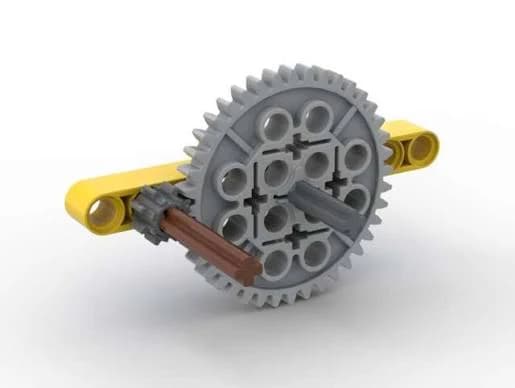
Gear Ratio Demonstrator
Turn one crank and compare how gear size changes output speed, direction, and turning force.
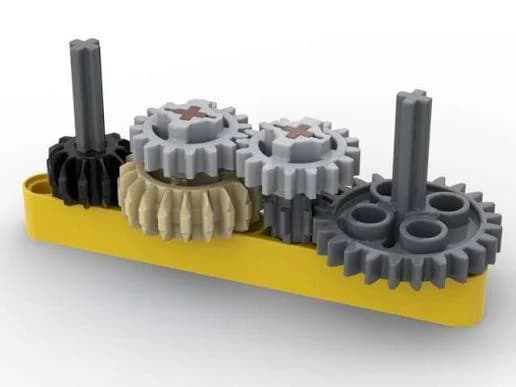
Compound Gear Train
Stack two gear reductions on a shared middle axle to create a large speed change in a compact frame.
Classroom challengesGear Ratio Race
Configure equal vehicles for speed or pulling force, predict their ratios, and compare performance in two fair races.